Paint Engine by Fantastic Machines


Paint Engine by Fantastic Machines is a freeware plugin filter for creating
lots of different effects.  Many presets are included with Paint Engine and
best of all, you can create and save your own settings.

Below are a few effects I have created, along with the settings.
Copyright © Yellowstone Images 2001

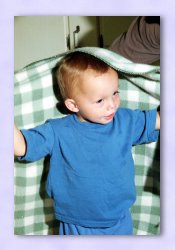
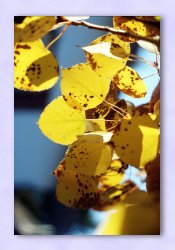
ORIGINAL IMAGE

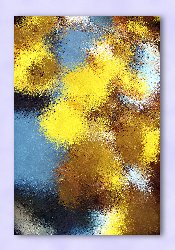
Paint Engine - OMS Mosaic

Original Image with OMS Mosaic preset applied

OMS MOSAIC PRESET


BRUSH EFFECT STROKE
(O) Push Intensity: 1.06 (O) Amount: 154 (O) Type: Selected
(O) Lighten: .7 (O) Wrap Edges: checked (O) Input: checked
(O) Bias: .16   (O) Line: unchecked
(O) Pull Intensity: .54   (O) Length: 27
(O) Lighten: .1   (O) Radiate: 1.04
(O) Bias: .17   (O) Motion Angle: 17°
    (O) Curl: 61°
    (O) Operations Angle: - 107°
    (O) Curl: - 55°
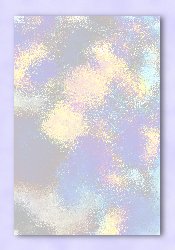
Paint Engine - Post Processing Original Image OMS Mosaic Preset & Post Production
  Apply OMS Mosaic preset to original image

Duplicate Layer

On duplicate layer click Colors > Negitive Image

Change duplicate layer Blend Mode to Screen


Izzy Superboy!
ORIGINAL IMAGE
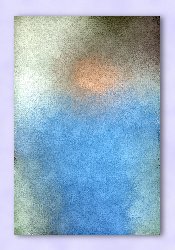
Paint Engine - OMS Grit Original Image with OMS Grit preset applied
OMS GRIT PRESET

BRUSH EFFECT STROKE
(O) Push Intensity: .33 (O) Amount: 2.83 (O) Type: Saturation1
(O) Lighten: 3.3 (O) Wrap Edges: checked (O) Input: unchecked
(O) Bias: - .12   (O) Line: unchecked
(O) Pull Intensity: .84   (O) Length: 40
(O) Lighten: - 3.2   (O) Radiate: 2.00
(O) Bias: .00   (O) Motion Angle: 179°
    (O) Curl: 21°
    (O) Operations Angle: - 132°
    (O) Curl: - 40°
Paint Engine - Post Processing Original Image OMS Grit Preset & Post Production
 
  • Apply OMS Grit preset to original image

  • Promote to Layer

  • Effects > Geometric Effects: Circle

  • Select background using the Magic Wand and invert selection

  • New layer for highlight

  • Spraypaint an arch of white for hightlight

  • Gaussian blur: 4.00

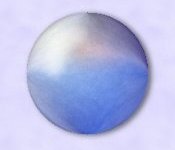
  • New layer under hightlight layer and fill with custom sphere gradient

  • Change opacity on gradient layer to 54

  • Change opacity on highlight layer to 60

  • Deselect

  • Merge visable

  • Resize by 85%

  • Apply a drop shadow


---

BACK