





SUPER BLADE PRO
ORGANIZATION OF PRESETS
Collecting BP, & then SBP, presets became an obsession for me almost immediately after the release of the plugin(s). I had found so many great sites that offered presets that I knew in the beginning that I would want to remember where I found each new treasure. I started organizing by creating a new folder for each creator with their name and added a text file to each folder with the URL of the site and any other info I thought necessary. After a short while I had collected so many presets from several different creators that I had to sub-divide my folders as seen in this first screenshot.
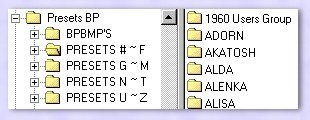
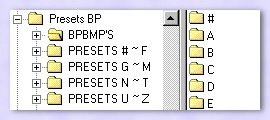
I have chosen to organize the texture and environment bitmaps alphabetically. This makes more work for me when using Blade Pro because I have to navigate through several folders but I find it easier to search for the right bitmap this way than looking in one folder with over a thousand bitmaps.
Bitmaps are a part of most presets and while some have the same name they are not always the same image. Both images below were named flame.bmp.
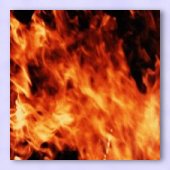

When I find a bitmap with the same name as another, I compare both images, if the new bitmap is the same as the one I all ready have in the alphabetic folder, it is deleted. If they are different images I keep the duplicate named bitmap in the creator's folder. This way I can fill up my hard drive & then burn CD's with more presets instead of duplicate bitmaps.
SAMPLES OF SUPER BLADE PRO PRESETS I HAVE CREATED
Creating presets is as addicting as collecting them. Once started creating it's virtually impossible to stop. To date, I have created over 450 BP & SBP Presets!

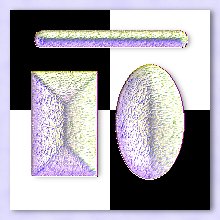


These along with all the other presets I've created can be found at the Blade Pro section of
My partner and I have been working on some web sets we call E-Visions for a future section at the OMSDS site... you are getting a sneak preview of one of them ;-> I created this E-Vision utilizing Super Blade Pro as a surprise for my daughter who graduated college on June 2, 2001 with a BS in Psychology.

Click on the thumbnail above
to see the set in it's entirety.
SUPER BLADE PRO PARROT WITH A 'TUDE

The presets I used on the Parrot can also be found at the Blade Pro section of
REFERENCE NOTE: SBP presets can be used with regular BP by simply change the extension on a .q5q file to .q9q and then using it with regular BP. The newer effects that are native to SBP might be less detailed but the preset will look close to how it does with SBP.
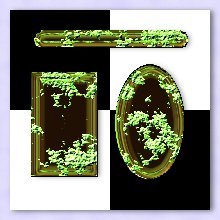
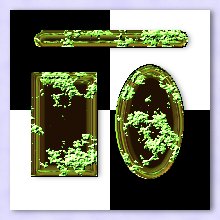
The image on the left is an example of my SBP Ascolichen preset, the one on the right is an example of the same preset using regular BP after changing the extension.
exclusively for OMSDS Class Assignments at . All Rights Reserved.
~ on-line ~
Best viewed with version 6+ browsers, javascript enabled, 1024X768 resolution.
This site and it's contents may not be reproduced in any way without express written permission from the .