The background for this table was created with a Linear Gradient using a dark
green for the background color and a lighter green for the foreground color.
I started with a new image with the width at 1024 pixels and the height
at 25 pixels. I chose this size so that the image would fill the screen
and repeat over and over again and still have a small file size. The file
size of the background on this page is only 9KB!
To make the header image at the top of this page and the index button, below, I
used the same Paint Shop Pro features. The texture in the title and drop
caps was created using the Airbrush tool, Paper Texture set as Celtic, a
texture I created for the background of my PSP class work, and then sprayed
onto a solid color background. I applied the text I wanted filled with
this texture and flood filled the letters with the Celtic texture. I then
used the cutout effect using the following settings:
Shadow color: Black
Opacity: 40
Blur: 4
Vertical and Horizontal Offset: 3
The cutout effect was used in this case to give the text a 3D or rounded
appearance. Next the Drop Shadow was applied with the following settings:
Shadow color: Black
Opacity: 40
Blur: 20
Vertical and Horizontal Offset: 5
The text without the texture was filled with a solid color before applying the
same effects as before.
These two images were saved in different formats from the same original image.
One was saved as JPG and the other as GIF.
Note the slight color difference between the two images. This is due to
the color reduction when saving as a GIF.
The JPG's size is 5KB
The GIF file size is 13KB
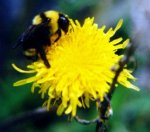
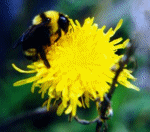
The bees below, again from the same original image, were saved in different
formats.
The first bee was saved as a JPG. It had a color count of 16856 and the
file size was only 7KB
This bee was saved as a GIF. First I needed to decrease the color depth.
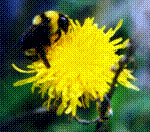
This last bee was also saved as a GIF with a slight change to the settings
Palette | Standard
Reduction Method | Ordered Dither
A sacrifice to the color quality of the image, but only a 10KB file size.
I also saved the bee in three other formats just to see what would happen to the file size.
Saved as GIF using different color reduction settings.
Palette | Optimized Octree, Reduction Method | Error defusion
which resulted in a file size of 17KB.
A TIF format resulted in a 47KB file size, where a BMP was 59KB.
Saving my bee in the PSP format ended with a whopping file size of 86KB!
These image formats would not make very good web images, even if browsers were able to "see"
them. It would take longer for them to be loaded onto your screen than the smaller GIF
and JPG formats.